
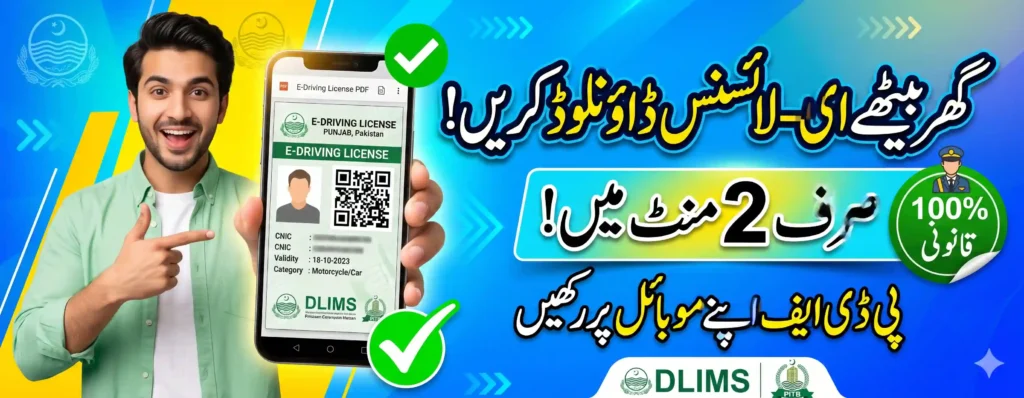


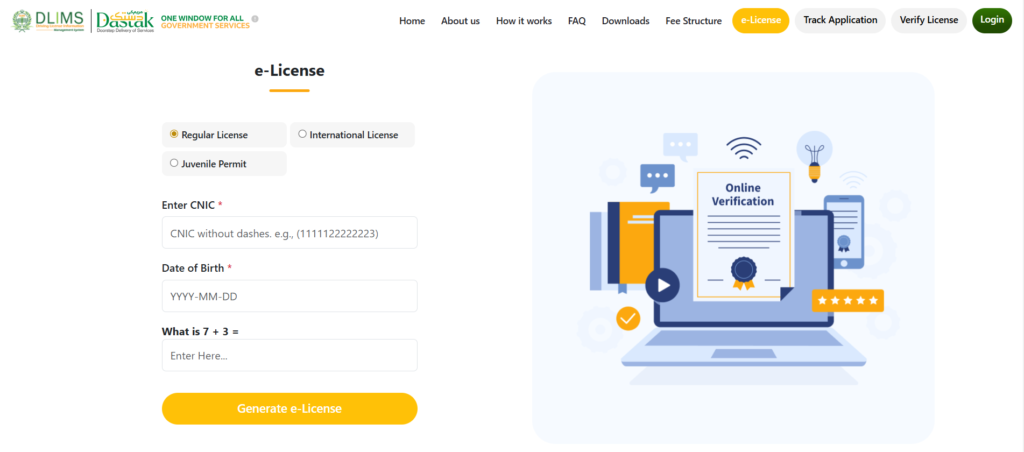
How to Get an e-License in Punjab Online. To get your e-license in Punjab, visit the official DLIMS portal dlims.punjab.gov.pk/elicense. First, select your license type (Regular, International, or Learner). Then, enter your 13-digit CNIC number and Date of Birth. Finally, solve the simple math question on the screen and click the “Generate e-License” button. Your digital driving license will instantly download to your device as a PDF file.
If you live in Punjab, Pakistan, the days of standing in long queues at the traffic police center just to get your driving license are over. The Government of Punjab and the Punjab Information Technology Board (PITB) have made the system completely digital.
Whether you need a new learner permit, want to renew your old license, or just need a soft copy for your mobile phone, you can do it all online. In this article, we will explain the step-by-step process for the e-license download using the DLIMS portal.
What is the DLIMS Punjab e-License?
The Driving License Issuance Management System (DLIMS 2.0) is an online digital platform. It allows citizens of Punjab to apply for, track, and download their driving licenses from home.
The e-license is a digital PDF copy of your physical card. It comes with a unique QR code. This means if the Punjab Traffic Police stops you on the road, you can simply show them the PDF file on your mobile screen. They will scan the QR code to verify it. It is 100% legal, works offline, and saves you from carrying a physical wallet everywhere.
Step-by-Step: How to Get an e-License in Punjab Online
Downloading your e-driving license takes less than two minutes. Just follow these easy steps:
- Open the Official Website: Go to the official website at
dlims.punjab.gov.pk/elicensefrom your mobile phone or laptop. - Choose Your License Type: At the top of the screen, select whether you want to download a Regular License, International License, or Juvenile Permit.
- Enter Your Details: Type your exact CNIC number (without dashes) and select your Date of Birth from the calendar.
- Solve the Captcha: You will see a simple math question (for example, “What is 7 + 5?”). Type the correct answer in the box.
- Download PDF: Click the Generate e-License button. Your official digital driving license will automatically download to your phone’s gallery or download folder.
How to Apply for a New Driving License Online
If you don’t have a license yet and want to apply for a fresh one, you can easily do it through the DLIMS 2.0 web portal or the new Dastak App.

- Create an Account: Go to the DLIMS portal and register using your email and CNIC.
- Fill the Application: Choose the “Learner Permit” or “Regular License” option and upload your picture and medical certificate (if required).
- Pay the Online Challan: The system will generate a PSID number. You can easily pay your driving license fee using JazzCash, EasyPaisa, or any online banking app.
- Book Your Test: Schedule an appointment for your driving test online without waiting in lines.
Checking Your Online Driving License Status
Are you waiting for your physical smart card to arrive by courier? You can easily do an online driving license check.
Just go to the DLIMS homepage and click on Track Application. Enter your CNIC number, and the system will show you the exact status of your application. You will know exactly when your card is printed and dispatched.

e-License Fee Structure in Punjab
The Punjab government has updated the driving license fee structure. Here is a quick look at the regular license fees (excluding the Rs. 480 courier charges):
- Motorcycle: Rs. 450 (after passing the test)
- Car/Jeep: Rs. 1350
- Motorcycle + Car/Jeep: Rs. 1830
- LTV (Light Transport Vehicle): Rs. 2330
Note: You can apply for a license validity of 1 to 5 years. The fees will multiply based on the number of years you choose.
Frequently Asked Questions (FAQs)
Is the e-license valid for traffic police checking?
Yes, the e-license downloaded from the DLIMS portal is 100% legal and globally verified. Traffic wardens accept the PDF copy because they can scan the QR code to check its authenticity.
Do I have to pay to download the e-license PDF?
No, the e-license download process is completely free. You only pay the official government fee when you first apply for or renew the license.
Why is my DLIMS e-license not downloading?
If your PDF is not downloading, make sure you are entering your CNIC and Date of Birth exactly as they appear on your ID card. Also, check your internet connection and ensure your physical license hasn’t expired.



Connect With Akar Pulse
Follow us for daily updates and breaking news